
Features / Clinical and Whilst In The Chair / Chart, scores, images
Clinical and Whilst In The Chair
More time looking at the patient.
The chart lives in one system, the X-ray in another, and the notes in a third login you open at 7pm and fill in from memory. The patient is the only thing they share, and the software doesn’t know it.
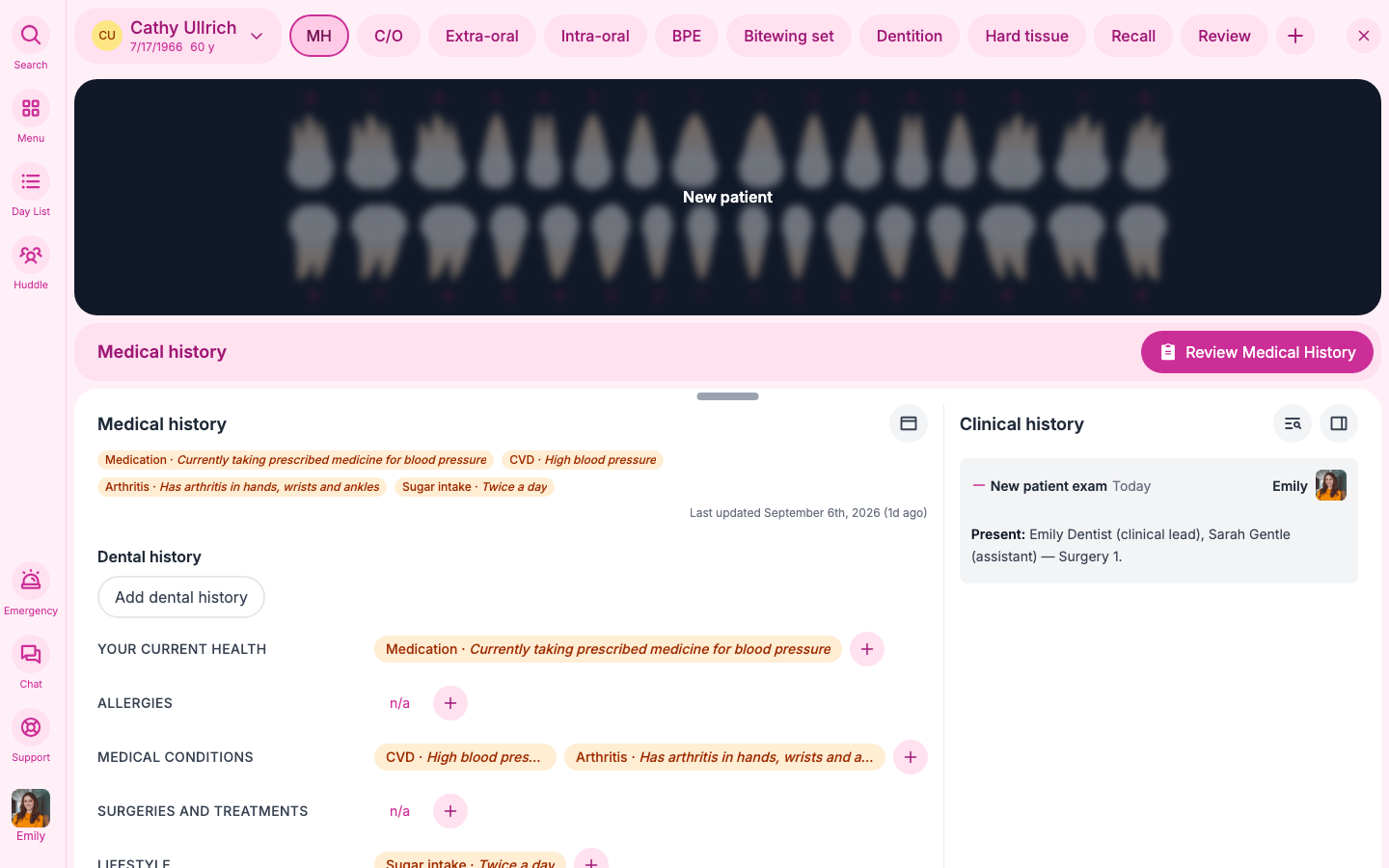
In Joyful, the clinician presses Start and the screen becomes the chart. Findings are taps on the tooth, and the visit writes itself as you go.
How it works
01
Finish every visit with nothing left hanging
The visit runs in order, and you only see what this appointment needs.
Press Start and the visit runs in a clear order: medical history, what they came in about, examination, treatment, planning, scheduling the next visits and review. At each step, you only see the buttons that matter for this appointment and the procedures booked. Everything else stays out of the way. The wrap up screen shows anything still open, so nothing is left hanging when the patient leaves.
- The screen only shows what’s relevant to this appointment, so you never hunt through menus.
- Only one visit can be open at a time, so a finding or a charge can never land on the wrong patient. If you start a new visit, Joyful asks what to do with the one still open.
- Only the lead clinician starts the visit, and only on the day, so every record has a clear owner.
- You can always see what’s done and what’s left.
- The huddle has told you who’s in which room and which patients are flagged.
The visit
02
Understand any mouth at a glance
Findings sit on the tooth, colour coded as treated, planned or watched.
Gum scores, wear, pockets, soft tissue and extra-oral findings all sit on the tooth where you found them. Joyful’s colour system shows at a glance what has been treated, what is planned and what you’re keeping an eye on, so anyone opening the chart understands the mouth in seconds. Adults get a BPE and under 18s get the simpler sBPE. Planning won’t let you move on until every finding has a decision.
- Colours show what’s been treated, what’s planned and what’s being watched.
- Joyful uses the right score for the patient’s age.
- Wear and 6-point pocket charts are there when you need them.
- Every finding gets a decision: treat, watch, refer or no treatment needed.
Clinical03
X-rays arrive without anyone uploading them
The Joyful hub sends new images straight to the patient’s record.
The Joyful hub watches a folder on a surgery PC, or a small box on your practice network, and sends new images to the patient’s record. You don’t upload anything twice. Before an X-ray, the clinician records why it is needed, and images can’t be attached until that reason exists.
- New images reach the patient’s record without anyone uploading them.
- Every X-ray has a recorded reason before the image is attached.
- Joyful stores images on the record. Keep your imaging viewer for detailed work.
ImagesWhy: caries risk, new patient bitewing set
The small print
- Only the lead clinician starts and locks the visit. Others can view it.
- The day list runs on the practice’s clock, wherever the person viewing it is.