
Features / Planning Your Operations & Day / The book
Planning Your Operations & Day
A fuller diary, with fewer gaps to chase.
Most diaries are a grid of holes. Reception hunts for a slot that fits, the hygienist is sitting idle at 11, and nobody can see it until the day has already gone.
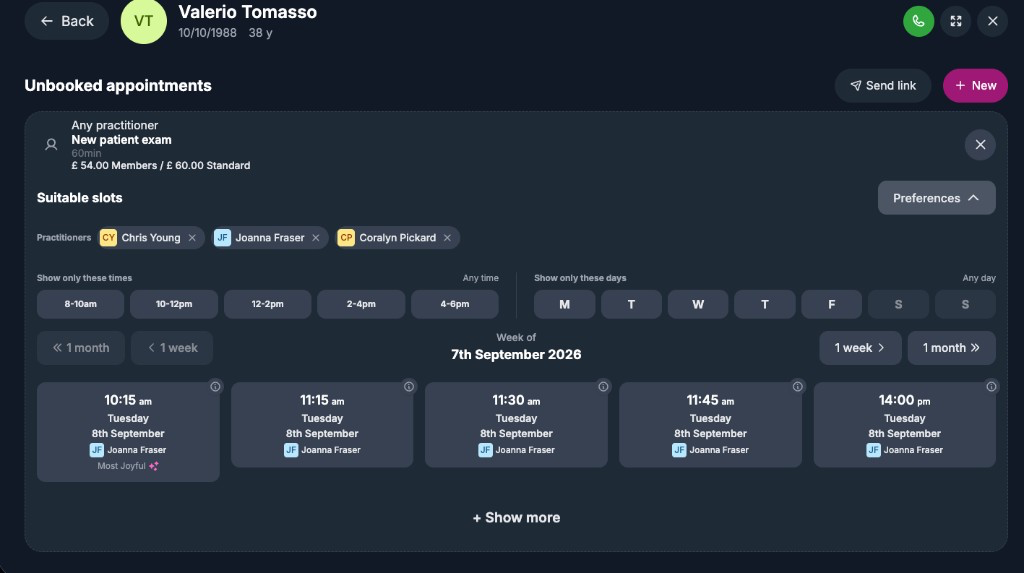
Joyful ranks the best times for every visit. It looks for the times that fill a gap, keep a good mix of work in each clinician’s day, and see the patient sooner rather than later. Your team picks from that shortlist, and so can your patients.
How it works
01
Fill the day without hunting for slots
Joyful ranks the five best times for every visit.
Every visit that still needs booking has a Book button. Press it and Joyful shows the top five times over the next two weeks, with the best one marked. The best time is the one that fills a gap in the day.
- Joyful offers the patient’s usual clinician first, and you can switch before you confirm.
- Nurses and admin staff are never offered as the dentist.
- Two people can never be booked into the same chair at the same time.
- If the patient already has an appointment that morning, Joyful filters it out.
Suitable slots02
Take bookings while the phone stays quiet
Patients book online from the same times your team sees.
Patients pick a service, choose a time, confirm, and pay a deposit if you ask for one. They only see services that apply to them, so a child-only service never shows for an adult. If you’d rather they choose, send a booking link from the visit. The button shows when you last sent one.
- Staff and patients book from the same availability.
- A deposit can be paid at the desk, added to today’s bill or left as owed.
- A deposit payment link lasts ten minutes. If it isn’t paid, the slot goes back into the book.
BookBook
Routine examination
Emily Dentist · 15 mins
Mon 7Tue 8Wed 9- 10:15 am
- 11:15 am
- 2:00 pm
03
Run the diary your way
Set limits, protected time and emergency slots, and preview them before you save.
You decide how the book fills. Cap new patient exams at two a day. Keep Tuesday mornings for longer treatments. Hold emergency time that only opens to everyone two hours ahead. Before you save a change, Joyful shows how many offered times will appear or disappear.
- None of these rules does anything until you switch it on.
- When someone cancels, Joyful texts your waitlist. The first patient to say yes gets the slot, usually within about two hours.
- Patients who ignore the offer stay on the waitlist. Patients who say no come off it.
- When Joy starts booking (coming soon), she books from the same ranked times, so phone and chat bookings fill gaps instead of creating them.
Rota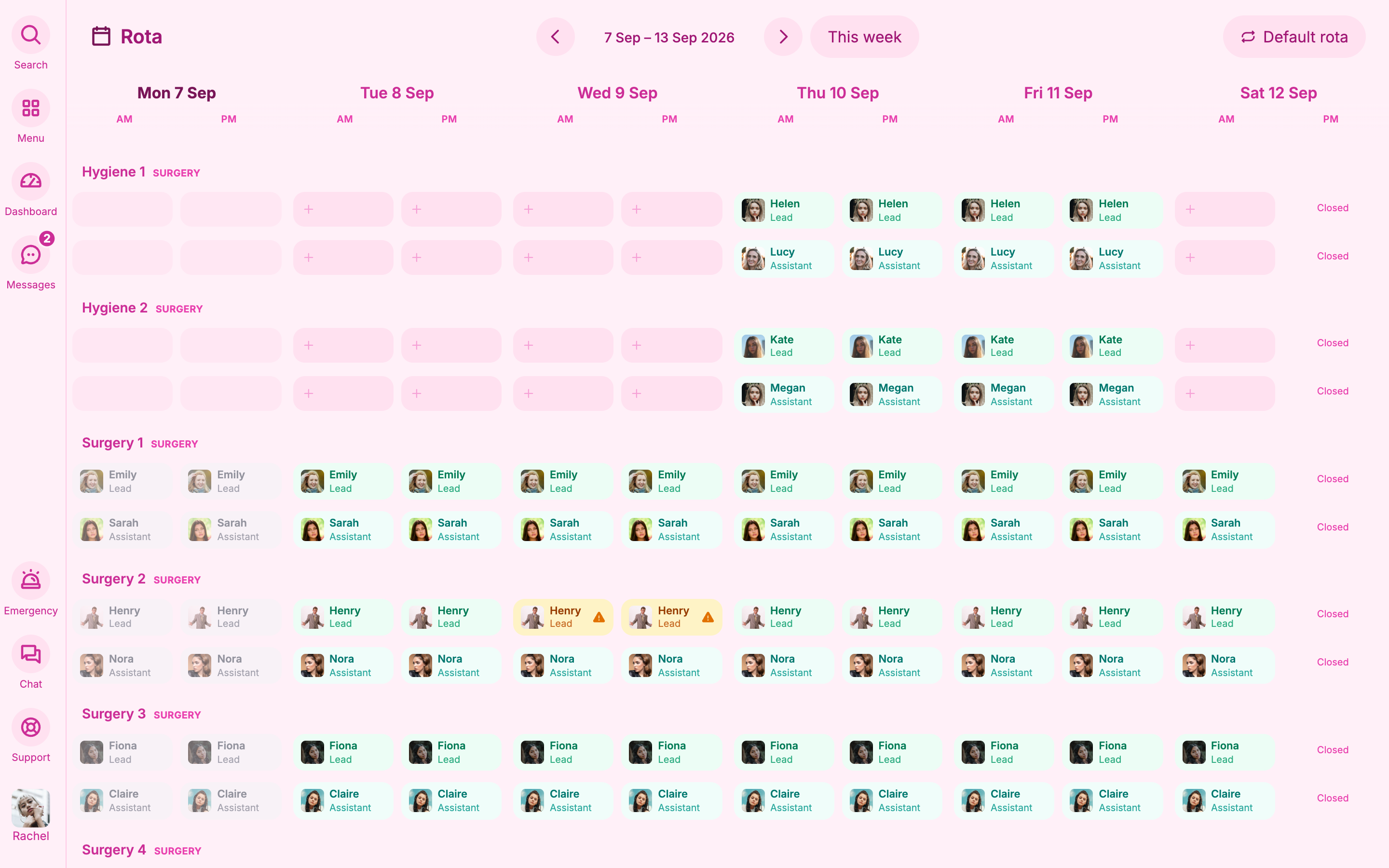
The small print
- The shortlist shows the best times, not every open time. If a time you know is open is missing, widen the filters or open the calendar.
- Set your opening hours first. A site with no opening hours has nothing to book.