
Features / Planning Your Operations & Day / Who’s where today
Planning Your Operations & Day
The rota is already done.
The rota lives on a whiteboard, and the last minute swap never gets written up. The book doesn’t know about it, so the huddle is wrong and reception offers a slot with nobody to fill it.
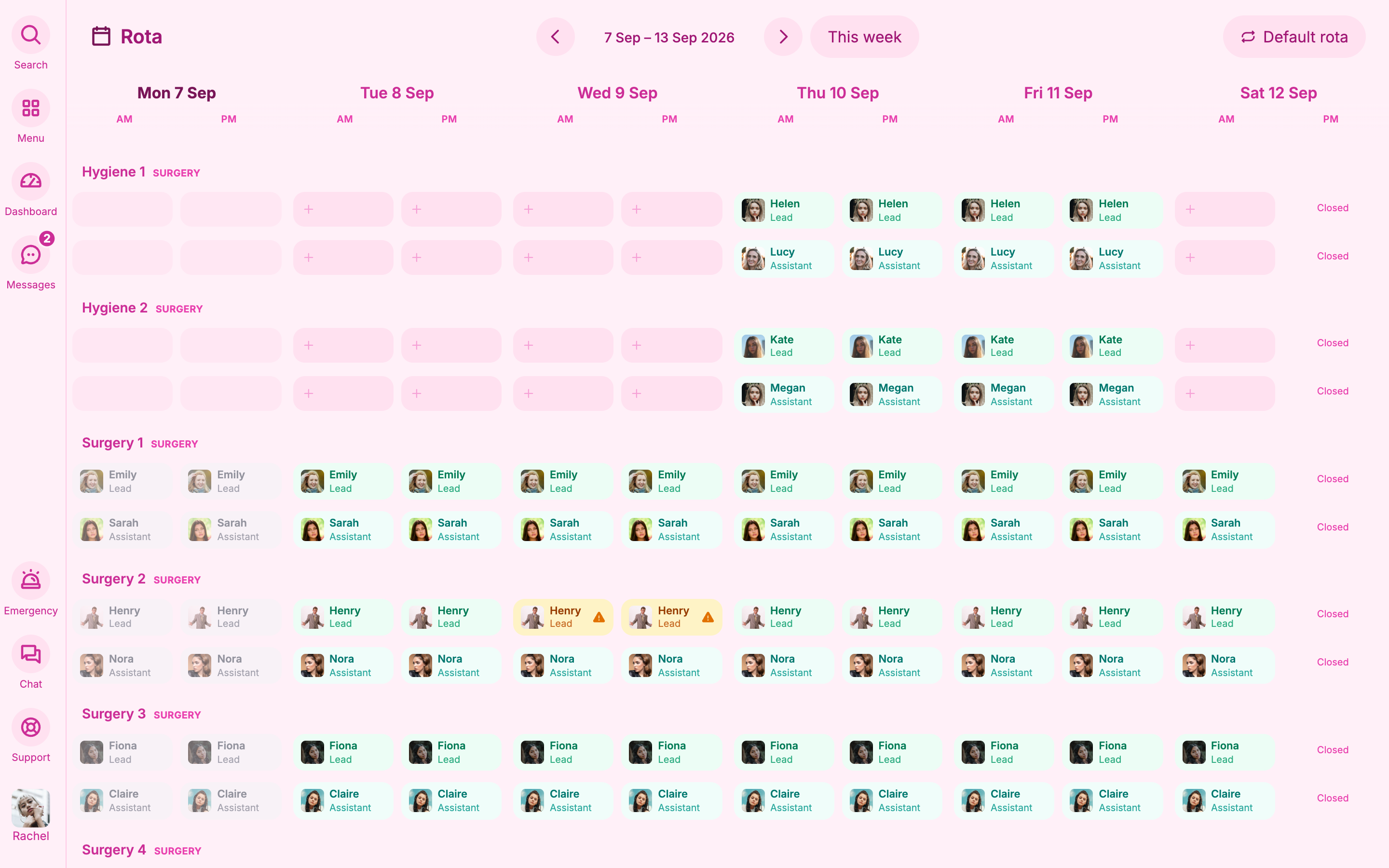
Joyful’s rota is a morning and afternoon grid for every room. It fills itself from who is working, their usual rooms and who has worked well together recently. You only deal with the changes.
How it works
01
Mondays stop going on the rota
The rota fills itself from each person’s usual week.
You set each person’s working pattern once. Joyful uses it to fill every week automatically, using each person’s working hours for each half day, so you don’t type odd start times. When you change a day, that change sticks until you reset it.
- Your standard week fills itself, and Monday mornings stop being rota mornings.
- A saved change holds until you reset the day to the usual pattern.
- Each person’s hours come straight from their working pattern.
Rota02
Spot a gap before it empties a list
Leave shows its status, and uncovered leave is flagged.
Leave shows on the rota with its status. Pending leave is dashed, leave with cover sits quietly, and leave without cover is flagged so you deal with it. Any change you make here flows through to the rest of the practice.
- Leave without cover is flagged until someone fills the gap.
- Take a surgery off the rota and it comes off the huddle and the book too.
Rota
The small print
- Step-free warnings only show if someone has recorded that a room has steps.
- Non-clinical rooms are filled by hand.